Install VidNo. Click record. Click stop. Get a finished YouTube video with AI voiceover in your cloned voice, 6 thumbnail variants, 3 YouTube Shorts with captions, and full SEO metadata. That's the entire workflow. No editing. No scripting. No terminal.
We searched. Every AI video tool, every content platform, every screen-recording-to-YouTube pipeline on the market. None of them do what VidNo does. No tool watches your screen recording, understands what you did, generates a script in your voice, clones your voice locally, renders the video, generates thumbnails, creates Shorts — all from a Windows desktop app you install in one click. VidNo is the only one.
Download VidNo. Run the installer. It auto-sets up Python, CUDA, and all AI models on first launch. Click record, do your thing, click stop. That's the entire workflow.
Descript knows you said "um." Trupeer knows you clicked a button. No video tool on Earth analyzes your full session, extracts the key moments, and turns them into a narrative. VidNo does.
Every competitor uploads your footage to their cloud. VidNo runs voice cloning, editing, and assembly on your local machine. Your recordings never leave your network. No other tool offers this.
This video was produced entirely by VidNo. No human scripted, voiced, edited, or uploaded it. One screen recording in, finished video out.
Every YouTuber spends more time editing than creating. VidNo eliminates the entire post-production workflow.
You record walkthroughs and how-tos all day. VidNo turns your raw screen recordings into polished videos with voiceover, thumbnails, and Shorts — automatically.
You know consistency wins on YouTube. But editing takes 6+ hours per video. VidNo removes the entire editing step so you can publish daily.
You need dozens of lesson videos and zero budget for editors. VidNo turns every screen recording into a production-ready lesson with AI voiceover.
No camera. No mic. Just screen recordings and VidNo. AI clones your voice from a 60-second sample and narrates every video for you.
Every client project becomes a case study video — proving your expertise to the next client before they even find you.
Turn screen recordings into structured tutorials. Teach while you work. No extra production time. Shorts with captions included.
A Windows desktop app. No terminal. No command line. Click record, do your thing, click stop. VidNo handles the rest.
Download VidNo. Run the installer. On first launch, the app automatically sets up Python, CUDA, and all AI models — you see a progress screen, not a terminal. Everything is handled for you.
Click the record button. Do your thing — tutorials, walkthroughs, demos, reviews. VidNo captures your screen while tracking your app switches, file activity, and key moments in the background.
AI generates a full video script from your session. You get to preview and edit it before the pipeline continues — tweak the hook, adjust the CTA, make it yours. Or just approve and go.
Upload a 30-second voice sample once. MOSS TTS clones your voice and narrates every video as you. The recording is split, paced, and composited with the voiceover. All on your GPU.
You get a complete content package: finished MP4, 6 thumbnail variants, 3 YouTube Shorts with captions, chapter markers, and full YouTube SEO (title, description, tags). All saved to your Videos folder, ready to upload.
No mockups. No Figma renders. Real screenshots from a real session.
No timeline. No tracks. No export dialog. Hit record, do your work, hit stop. Or drop in an existing .mp4. VidNo takes it from there.
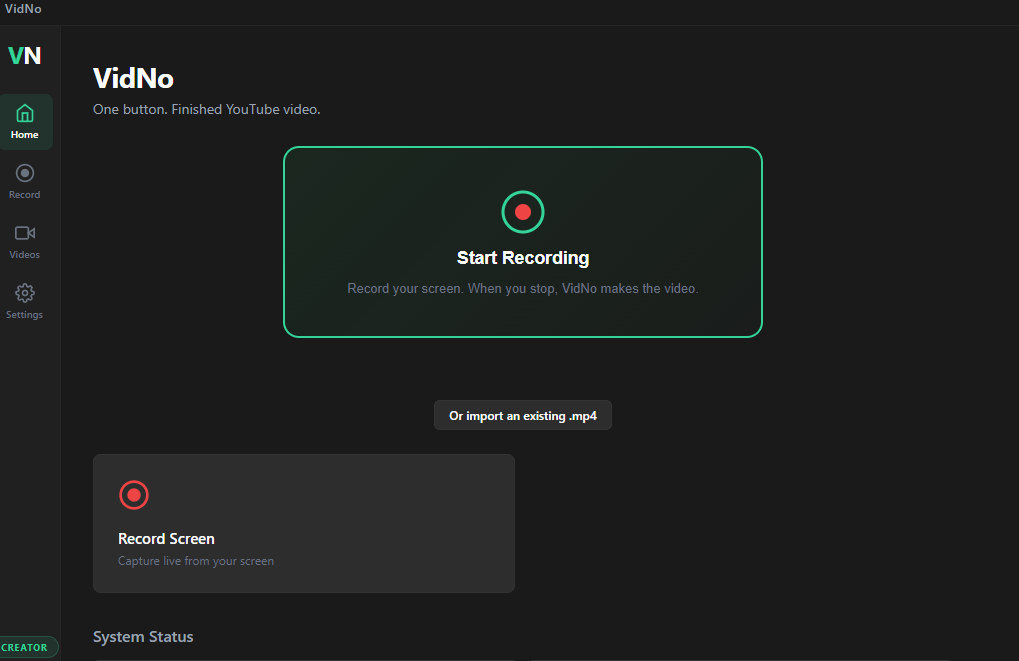
Upload a voice sample once. MOSS TTS learns your voice and narrates every video as you. Or skip it and use a built-in AI voice. Your call.
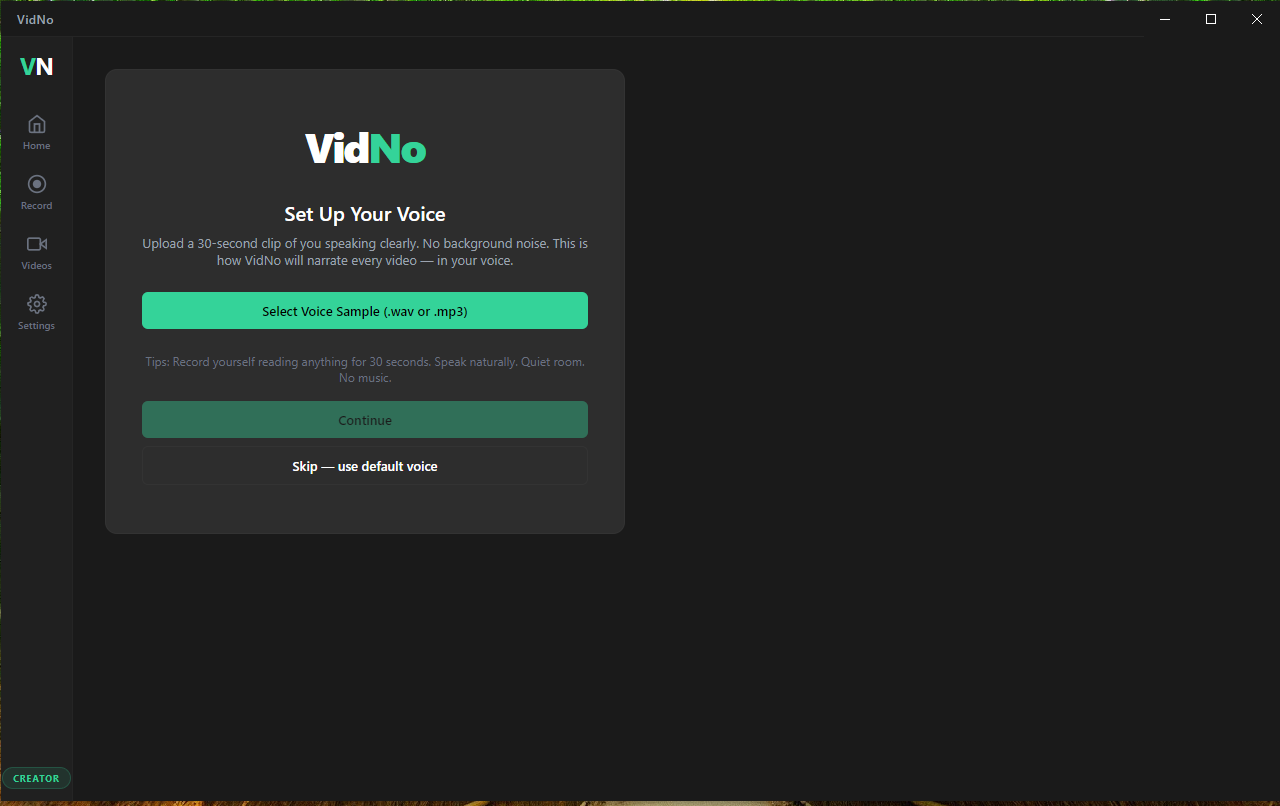
11 steps run automatically. Extract session, write script, split recording, smart zoom, generate voiceover, assemble video, create thumbnails, generate Shorts. You watch. Or go make coffee.
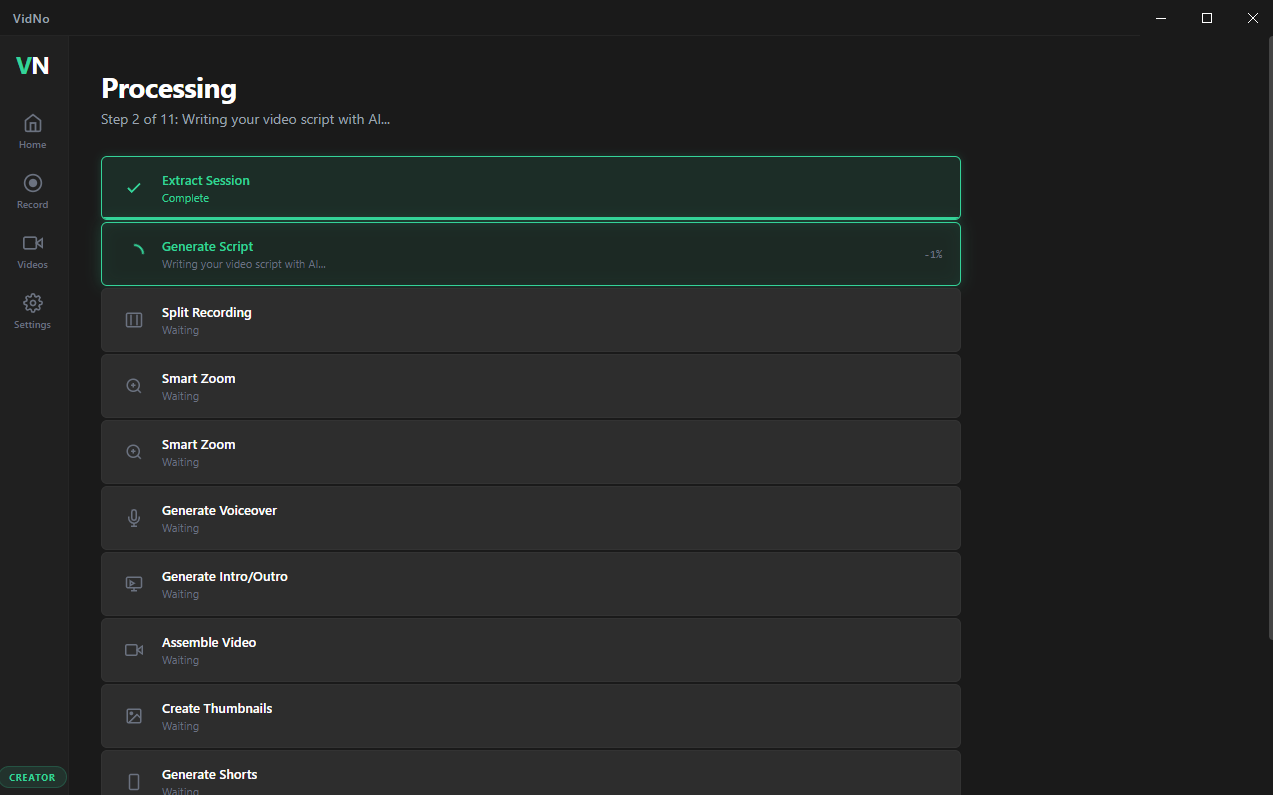
AI writes the narration from your screen activity. You get to read it, edit it, regenerate it — or just hit continue. It's your video. You have the final say.
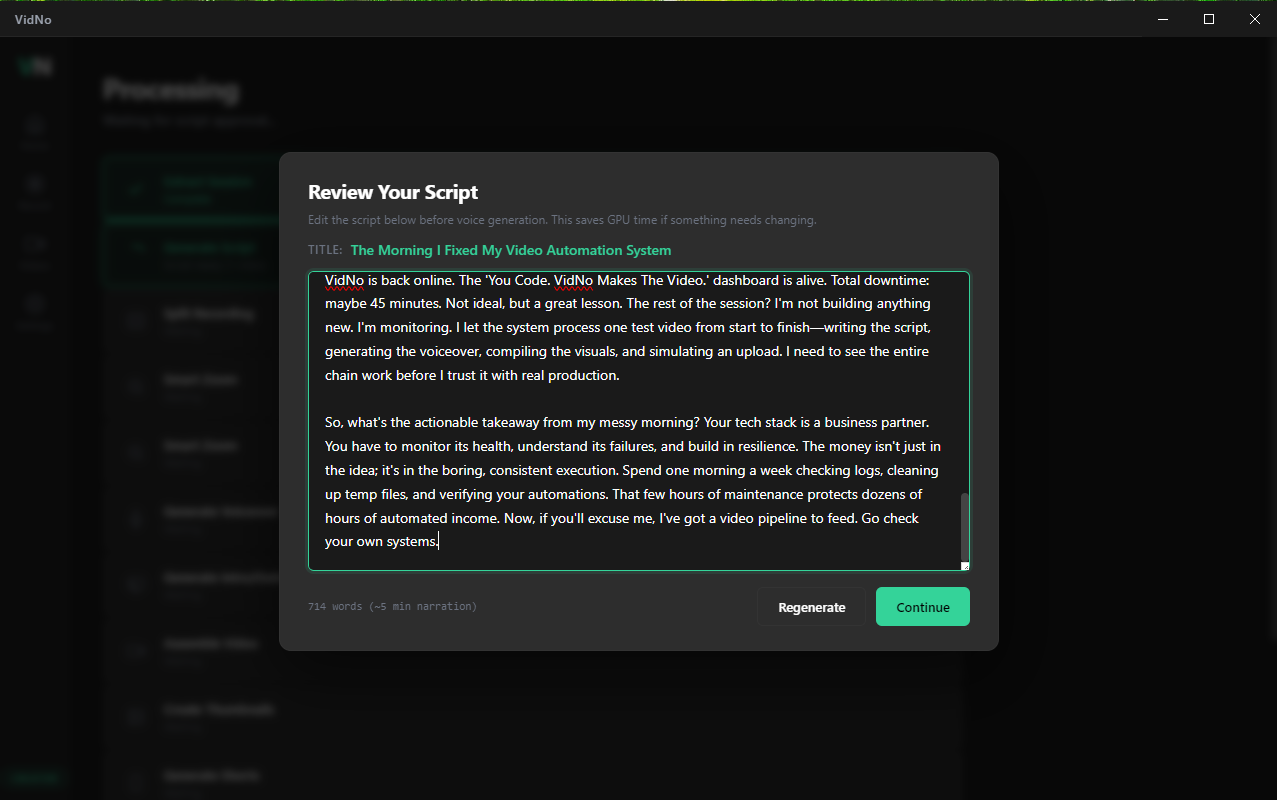
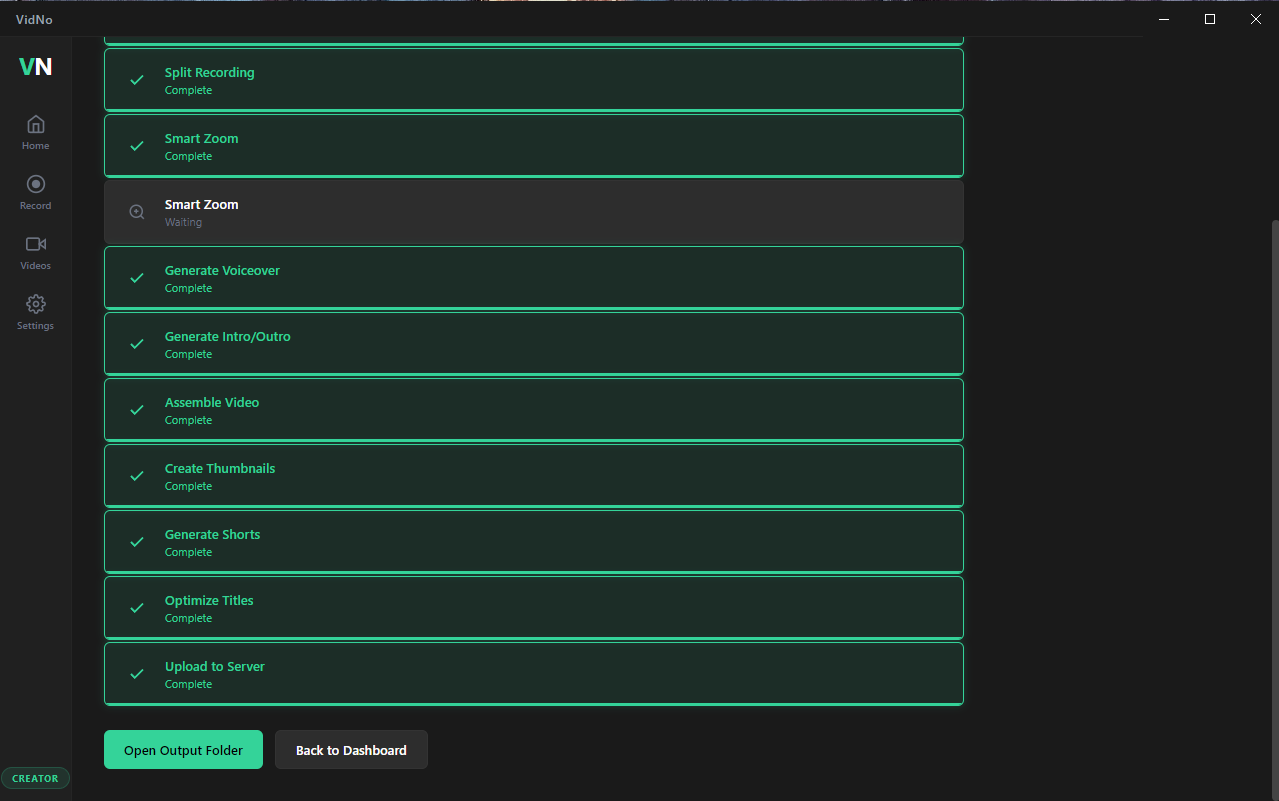
Every step green. Your finished video, 6 thumbnail variants, 3 captioned Shorts, optimized titles, and auto-upload — all complete. Open the output folder. Upload. That's it.
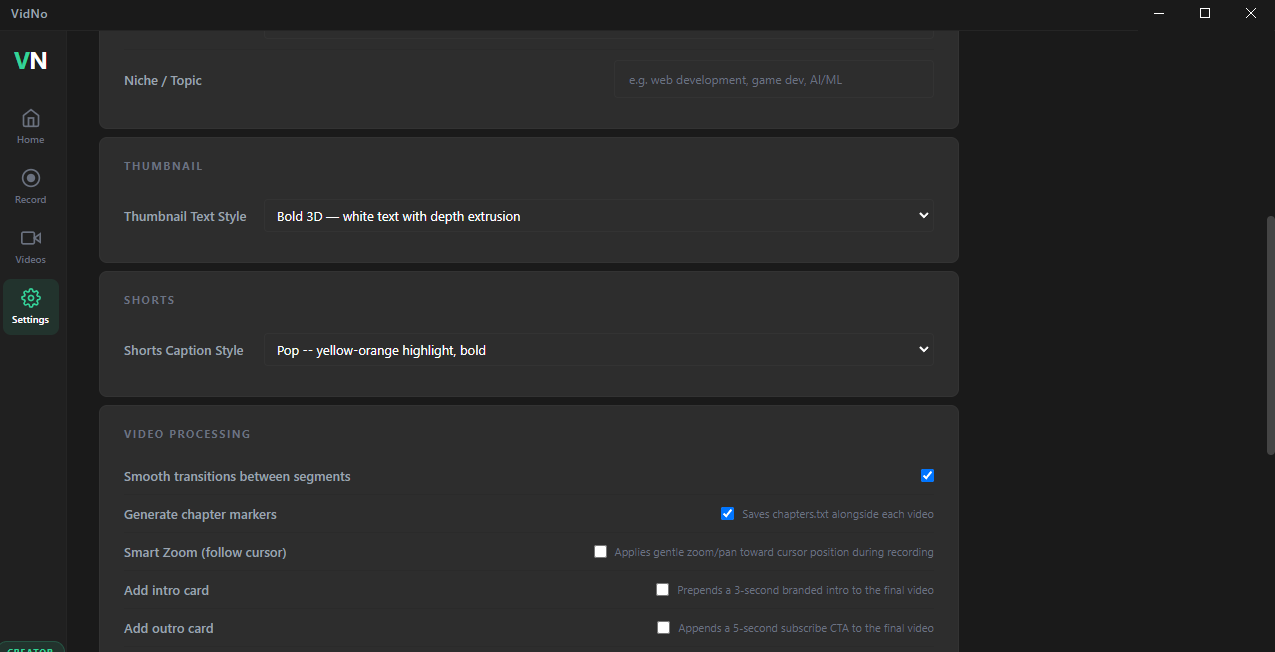
Thumbnail style, caption style, transitions, chapter markers, intro/outro cards, smart zoom — all configurable. Defaults work great. Power users go deeper.
VidNo is a Windows desktop app. Install it, and it handles the rest. No cloud. No subscriptions. Here's what your setup needs.
MOSS TTS 8B uses optimized llama.cpp inference that fits on 8 GB VRAM. More VRAM = faster processing and longer recordings.
32 GB recommended. The pipeline runs ffmpeg, Python, and model inference concurrently.
~16 GB for model weights, ~4 GB for Python dependencies, plus working space for video processing.
Script generation is the only API call. Voice, editing, and assembly are all local — zero ongoing cost. No subscriptions, no per-minute billing, no usage caps.
VidNo is a native Windows desktop app. Install and run — no terminal, no command line, no manual setup. NVIDIA drivers required for GPU processing.
VidNo runs on your own machine. Your recordings never leave your setup. No $500/month cloud GPU subscriptions. Just your GPU doing the work.
No API that gets deprecated. No startup that shuts down. No terms that change overnight. VidNo runs on your machine. You own every piece of it.
Voice generation runs on YOUR GPU. No per-minute billing. No usage caps beyond your plan. Your GPU, your processing power.
Your recordings, your content, your client work — never uploaded to anyone's servers. VidNo processes everything locally.
Start free with 3 videos a month. Upgrade when you need more.
No per-video fees. No contracts. Cancel in one click.
Get started. No credit card required.
For creators getting started.
The full pipeline. No compromises.
Unlimited. For serious creators.
3 videos per month. No credit card. Enter your email and download VidNo instantly.
One install. Click record. Finished video with thumbnails and Shorts. Every time.